
 888-258-7913

-
 1
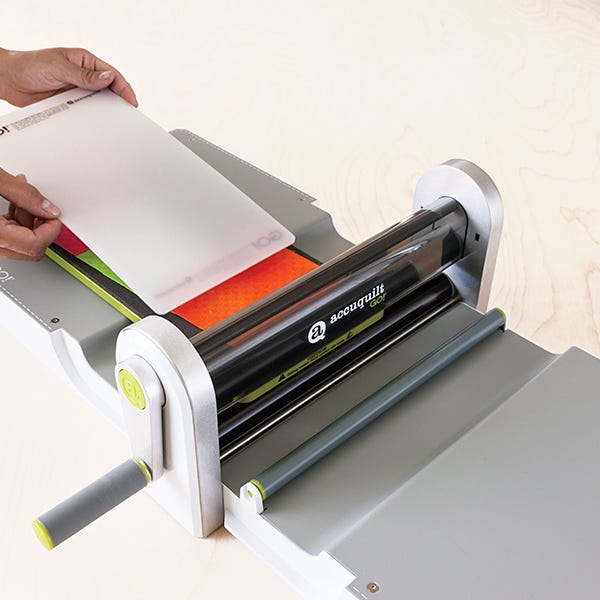
1PLACE
Layer die (with foam side up),
fabric and cutting mat.
TIP: You can cut two 6" wide dies
side by side at the same time -
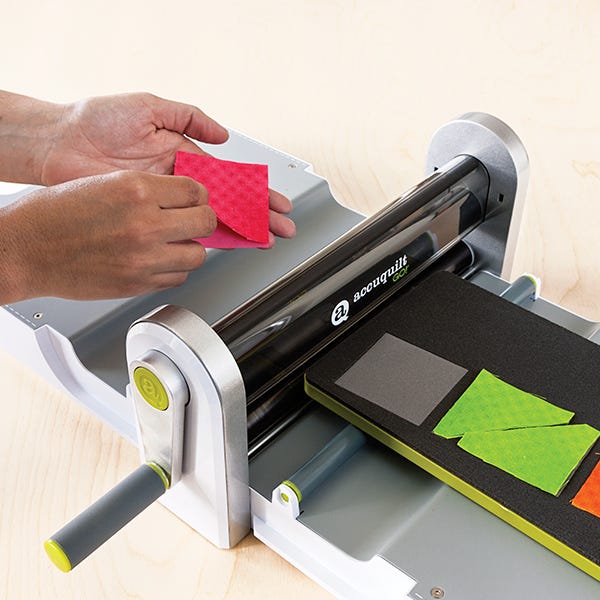 2
2PRESS
Push die, fabric and mat firmly
against roller. Roll through cutter. -
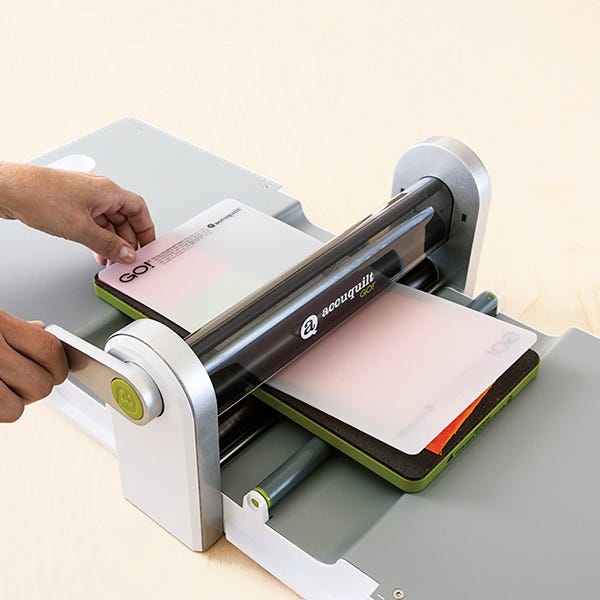 3
3DONE!
Remove mat and perfectly cut
shapes!
Repeat process.
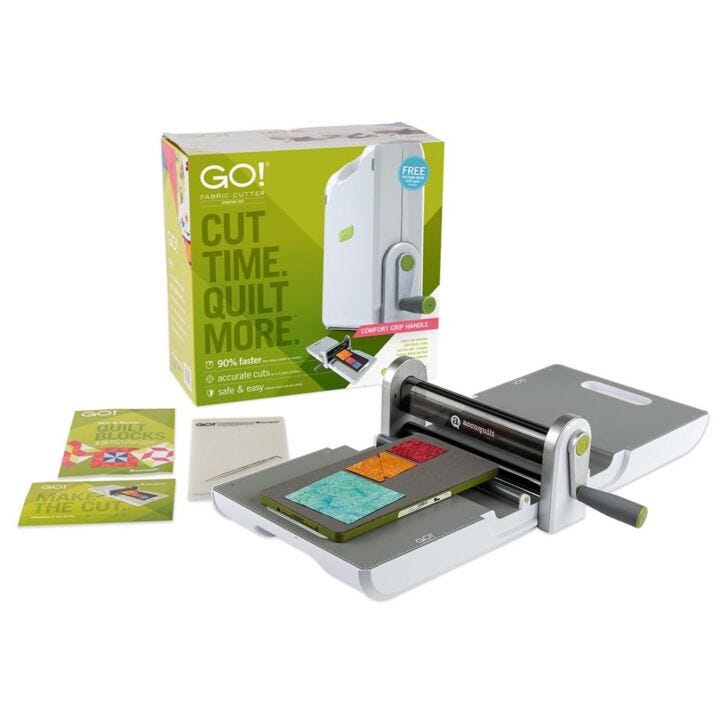
GO! Fabric Cutter Starter Set
#
55100H
329 Reward Points

AccuQuilt Rewards is FREE.
- Earn Reward Points for orders placed, reviewing products and referring friends.
- Redeem Reward Points for discounts on future purchases.
Special Price $329.99 Regular Price $389.99 You Save $60.00
The GO! Fabric Cutter Starter Set saves you time cutting so you have more time to quilt!
- 90% faster than rotary cutters or scissors
- Accurately cut up to 6 layers of fabric at a time
- Safe, easy-to-use design helps reduce hand and arm strain
- Unlimited design options with wide range of quilting shapes
Get started today with the option to upgrade later!
Starter Set Includes:
- GO! Fabric Cutter
- Exclusive GO! Value Die (55018) featuring:GO! Cutting Mat-6" x 12"
- Square-4 1/2" (4" finished)
- Square-2 1/2" (2" finished)
- Half Square-2" finished triangle (cuts two)
- 20- page Pattern Book: GO! Mix & Match Quilt Blocks
- Die Pick
- Product Registration Card
- Quick Start Guide
- User's Guide [Click to View or Download]
Why Quilters Love the GO! Fabric Cutter Starter Set:
- Just add fabric! Set includes the tools you need to get started cutting right out of the box.
- 90% faster than rotary cutters or scissors so you spend more time sewing and quilting, and less time cutting.
- Accurate cuts every time reduces fabric waste. Say so long to cutting mistakes from your rotary cutter.
- Safe and easy-to-use. No more backaches, cut fingers and sore hands from cutting.
- Compatible with more than 200 GO! piecing and applique dies - all die sizes fit the GO! cutter except GO! Big dies.
- Portable and easy to store (only 15 lbs.)
Features:
- Easy-lift carrying handle and comfortable roller handle grip.
- Cuts up to 6 layers of 100% cotton fabric at a time.
- Cut a wide variety of fabrics: cotton, batiks, wool, flannel, fleece, denim, leather, batting, felt, silk and satin.
- 10" cutting width: Fits these die sizes: 5" x 10", 6" x 12", 6" x 6", 6" x 24", 10" x 10", 10" x 24"
Chart below is the recommend number of fabric layers; actual number of fabric layers will vary depending on fabric type and thickness.
| Fabric | Layers |
| Cotton | 6 |
| Cotton with Fusible Web | 4 |
| Batiks | 6 |
| Fleece | 1-2 |
| Flannel | 1-2 |
| Denim | 1 |
| Leather | 1 |
| Wool | 2 |
| Batting | 1-2 |
| Felt | 1-2 |
| Silk | 6 |
| Satin | 6 |
For best results, always keep your GO! Baby fabric cutter clean and lint free. To clean the fabric cutter inside and out, use a soft dry cloth. Avoid abrasives, solvents and spray cleaners. If necessary, wipe with a damp cloth, then polish with a dry cloth. Use canned air to clear lint from roller area. The GO! Baby fabric cutter does not have replacement parts.
We stand by our products and the brand experience. If you need to return your GO! cutter for any reason, we will happily provide you with an exchange or full refund (less shipping charges) if it’s within 30 days from the date of purchase. All returned items must be in new and unused condition and in the original packaging.
In stock items will ship within 2 business days if ordered before 12:00 p.m. CST Mon-Fri. Most in-stock items will arrive at your U.S. address 3-8 business days (Ground Shipping) after your order is shipped.
Please note that deadlines for certain items, including Deluxe Cutting Cabinets (SKU 50903), are different than those of general merchandise as those items cannot be expedited. To make sure your gift selection can arrive on time, always check the Shipping tab located at the bottom of the specific product page.
The shipping time frames above apply to in-stock merchandise delivered to the contiguous United States, and does not include Alaska, Hawaii or APO/FPO addresses.
Studio Backordered items are currently out of stock, but are available for purchase. Your entire order will ship with the backordered item(s) within 10 business days.
Pre-Order items will ship as indicated on the product page. Once shipped, your items will arrive at your U.S. address 3-8 business days (Ground Shipping) after your order is shipped.

related products
We found other products you might like!
REVIEWS (872)