
 888-258-7913

AccuQuiltable Design Software - BOB Specialty Collection

AccuQuilt Rewards is FREE.
- Earn Reward Points for orders placed, reviewing products and referring friends.
- Redeem Reward Points for discounts on future purchases.
Includes all features from Basic Tools.
Unlock the power of your AccuQuilt GO! system with the AccuQuiltable BOB Specialty Collection module. Packed with essential features, this die collection module is perfect for adding more dies shapes to your digital library, organizing your dies and setting up your workspace for quilting success. Whether you’re just starting or refining your process, AccuQuiltable BOB Specialty Collection gives you everything you need to start creating with ease and confidence.
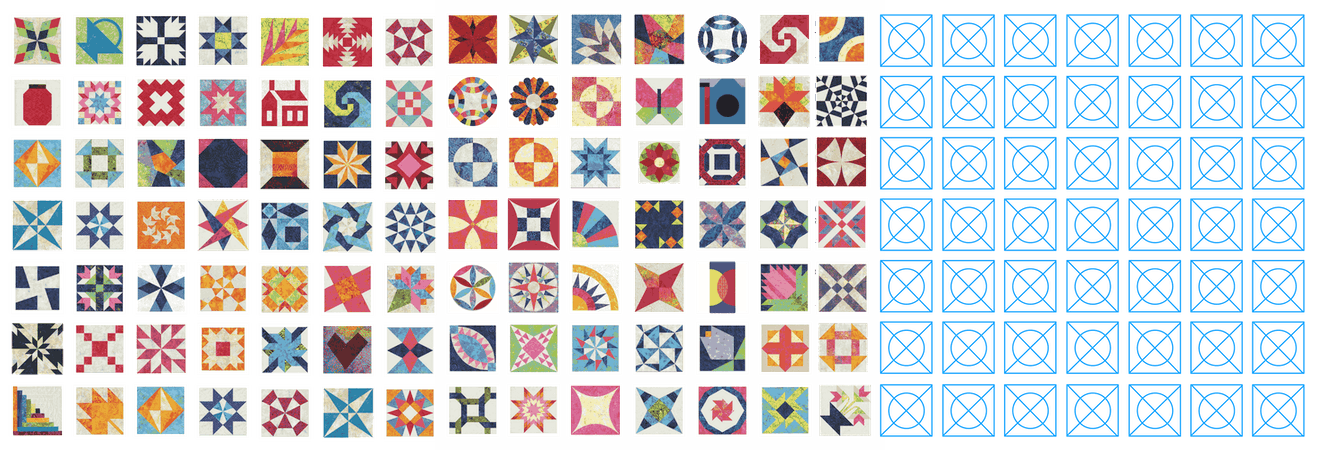
- Searchable Die Library – Easily find 50+ specialty AccuQuilt GO! BOB Dies loaded into the software.
- Personalized Die Management – Mark and organize your AccuQuilt GO! Dies within the library.
- Easy Access to AccuQuilt.com – Direct link to the AccuQuilt website for effortless shopping.
- Rough Cutting Guides – Includes rough cutting instructions with patches sized ½” larger than the die shape.
- Customizable Workspace – Adjust background color, grid size, toggle grid visibility and more.
- Built-in User’s Manual – Access a comprehensive, user’s manual for easy guidance whenever you need it.
Get inspired. Get creative. Get AccuQuiltable.

Block Making Unbounded
Whether you're a seasoned quilter or just starting, AccuQuiltable Block Maker makes quilting easier, faster, and more fun.
- Design unique quilt blocks using your AccuQuilt Dies, customizing every detail to your liking.
- Intuitive editing tools that make it easy to visualize with different colors and fabrics.
- Rotate, flip and align elements with user-friendly icons for quick editing.

Block Design
Start from scratch or with GO! die shapes and blocks. Add, remove, rearrange, and color as desired – even add your own fabrics!

Point-and-Click Building
Easily save block designs and add them to a quilt layout, incorporating corner stones, sashing, borders, and more!

Fabric Requirements
Accurately calculate fabric yardage needed for each project to confidently purchase and cut fabrics, reducing preparation time.

Limitless Possibilities
AccuQuiltable Block Maker is feature-rich designing software for creative quilting minds and is built to grow with the quilters who leverage it. Current and future modules can add new features, die & block libraries, and more. The future with Block Maker is bright!
Basics or Blocks
Get started with one of two options – Basic Tools with simple die library capability and Block Maker with full block and quilt designing capabilities.
Feature Comparison
| Features | Basic Tools | Block Maker |
|---|---|---|
|
Die Library |
✓ | ✓ |
|
Quilt Block Designer
|
✓ | |
| GO! Qube Collection Access 216 Block Designs from the AccuQuilt GO! Qube® Mix & Match Block Sets, Corners and Angles for endless design possibilities. |
✓ | |
| Module Extensibility Future and currently available modules can enable new features and make new die and block libraries available to Block Maker. |
✓ |
Software Details

AccuQuiltable Design Software is compatible with
Microsoft Windows and Apple MacOS.
Minimum System Requirements
Windows PC
Windows 11
Memory: 4 GB
Apple Mac
MacOS 14 Sonoma
Memory: 8 GB
Windows is a registered trademark of Microsoft Corporation in the United States and other countries.